Work Offer Method Demo Small Biz Sheets About Book a call
Sample demo · Logistics · Google Sheets

The despatch day, in one screen.

A sample build for a fictional food distributor. First we automate the repeat work, then we turn the workbook into a custom tool built around how the business runs — all inside the Google Sheet the team already keeps. No new software, no new logins.

Sample demo — Northwind Fresh Foods is a fictional company. All names, emails and figures are illustrative.
47-second silent walkthrough · Before: the raw Orders tab · After: carrier → booking saved → Gmail draft → reportsFictional data
Two layers

Automate first. Then enhance.

01
Automate

Take the repeat work out of the spreadsheet

Loads to book flagged, manifests built per carrier, emails drafted — the steps someone does by hand every despatch day, done by the file itself.

02
Enhance

Build it into a custom tool for your business

Menus, forms and dashboards shaped around how your team actually works — here, carrier tiles, bookings and reports over the same data. Small-business software, without buying new software.
Inside Excel or Google Sheets.Custom-built for your businessNo new softwareNo new loginsYour file stays the record
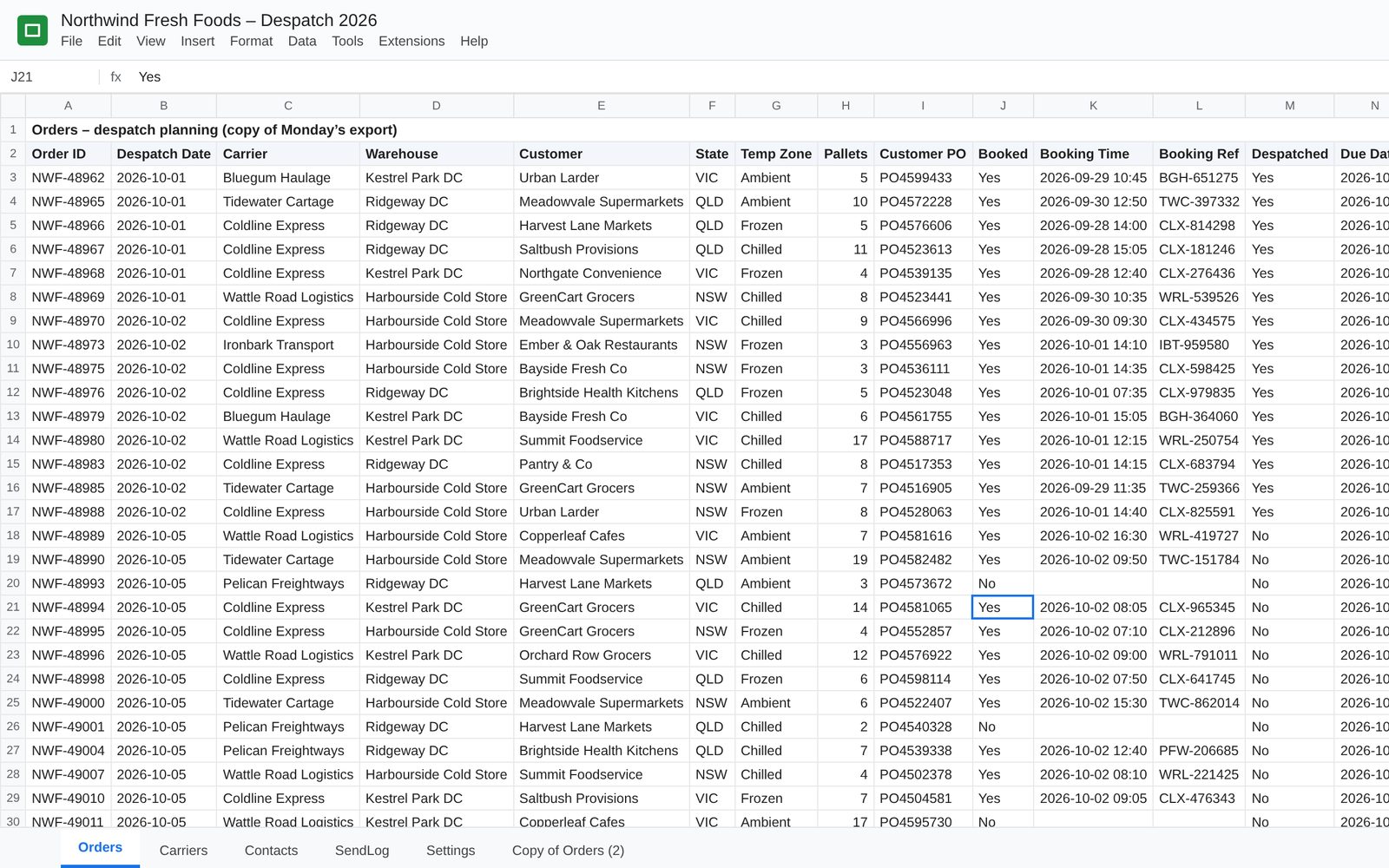
Spreadsheet of fictional despatch orders before the console: rows of carriers, bookings and references
—Before: rows, tabs and retyping on every despatch dayThe raw Orders tab: one line per load, checked and copied by hand.
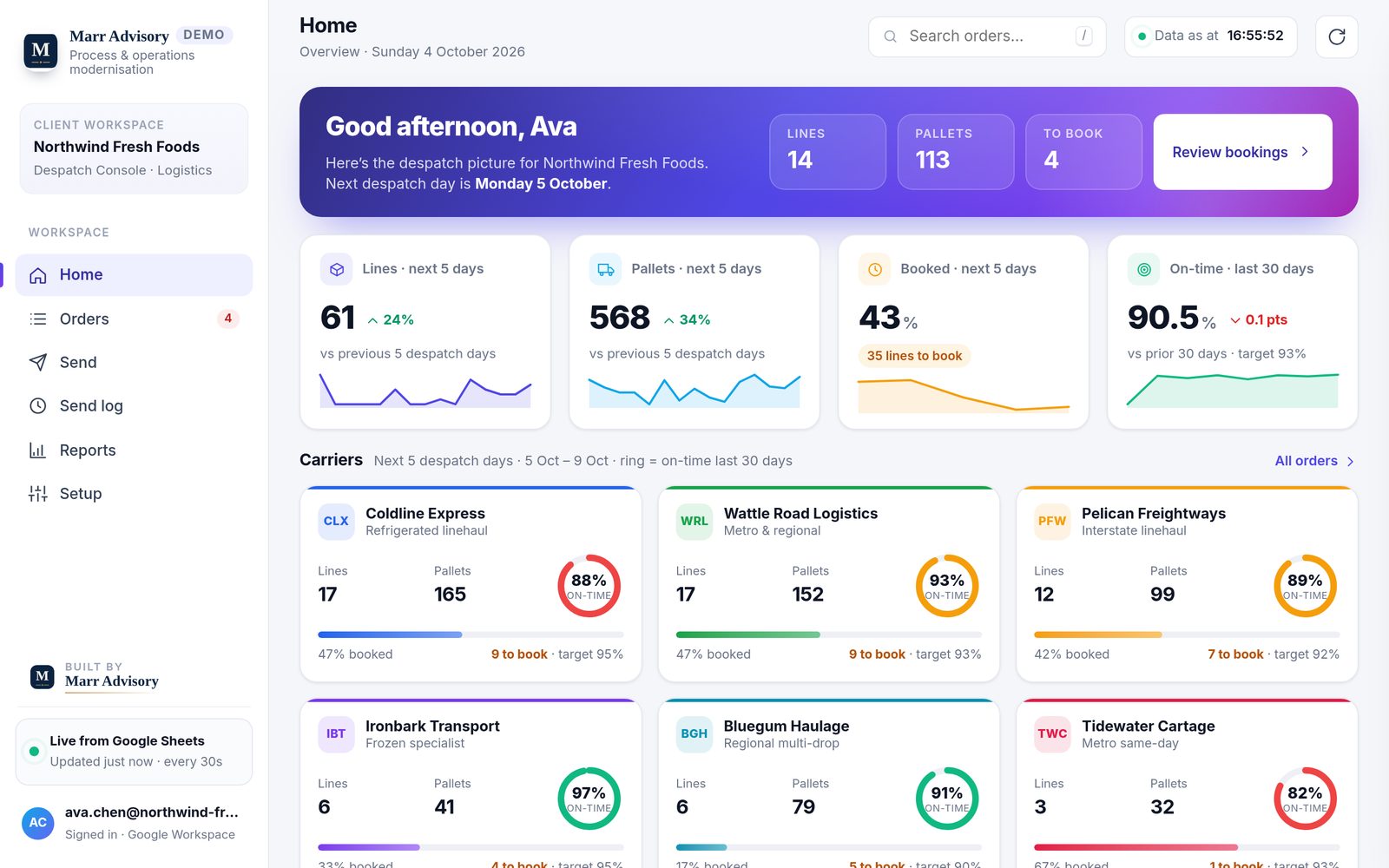
Sample despatch console home screen showing KPI cards and carrier tiles for the fictional company Northwind Fresh Foods
01Every carrier’s volume and on-time performance at a glanceHome: lines, pallets, bookings and on-time for the next five despatch days, with a tile per carrier.
What it does

Less chasing. Fewer handoffs.

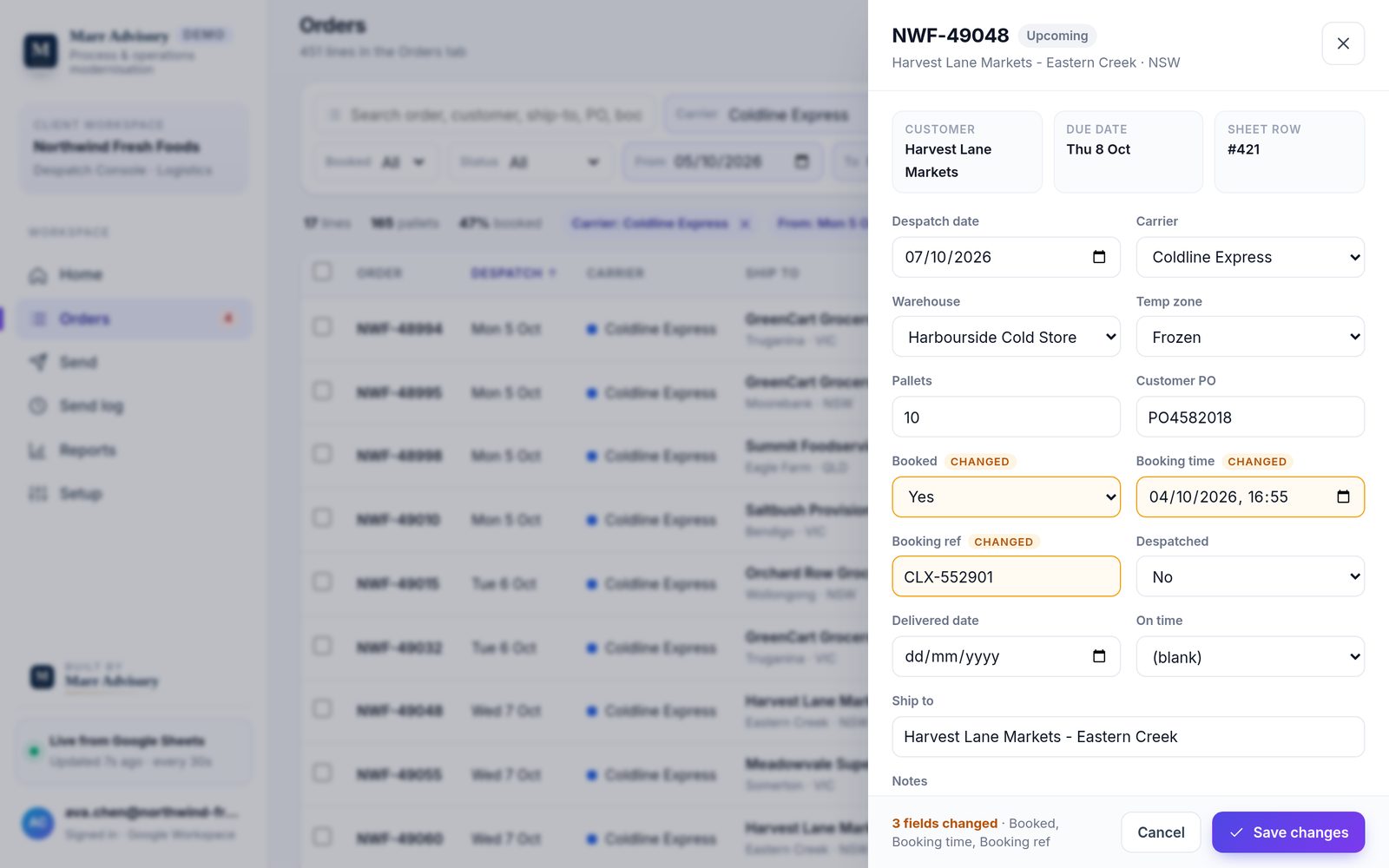
Order edit panel in the sample despatch console with booking fields marked as changed
02Book a load in one place – only the changed cells go back to the SheetOrders: click any line to edit it; changes are highlighted and checked before they are saved.
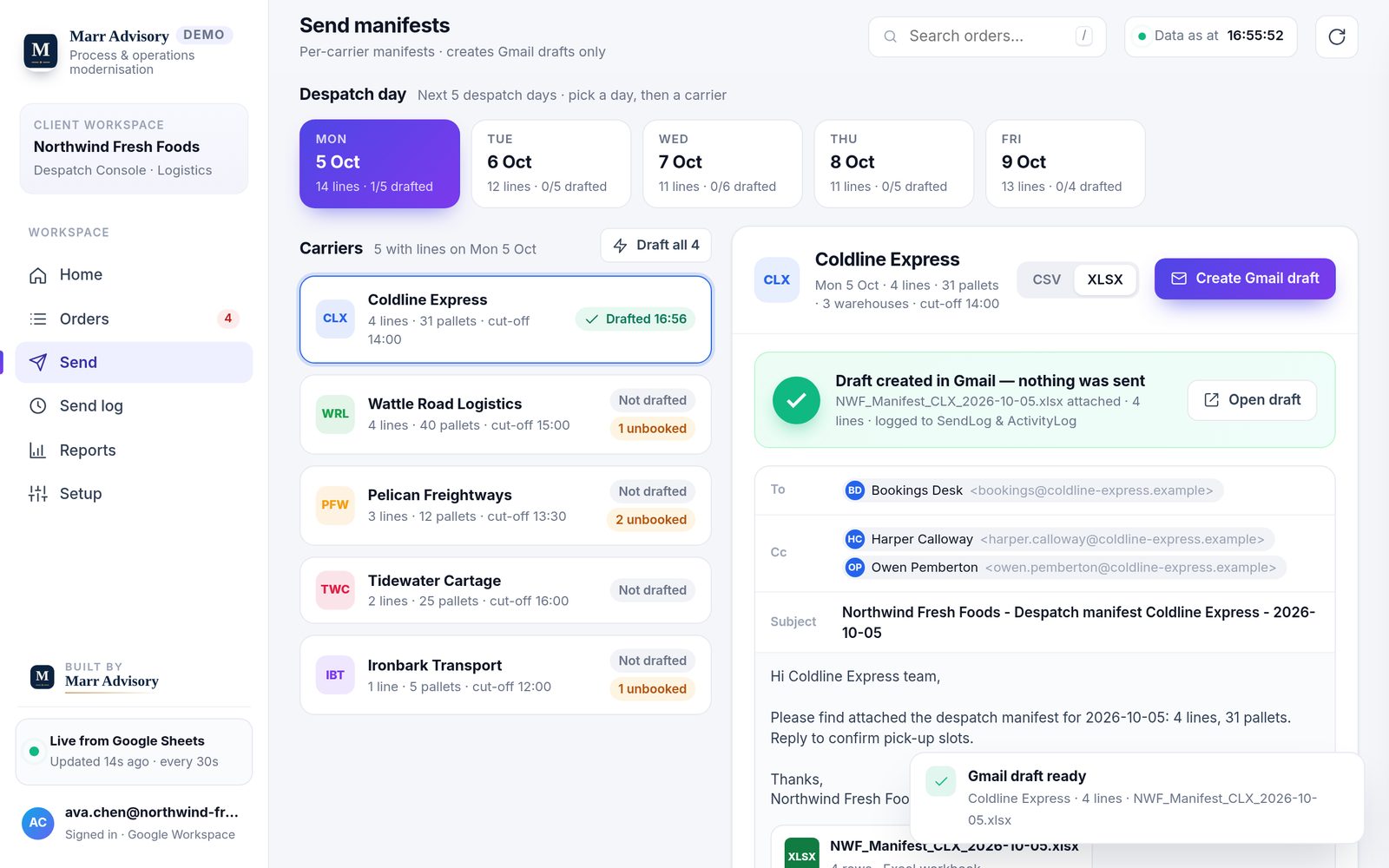
Send screen in the sample despatch console with a Gmail draft and manifest attachment prepared for a fictional carrier
03Send the day’s manifests from Gmail without retypingSend: pick a day and a carrier; the manifest is attached to a Gmail draft, ready to review and send.
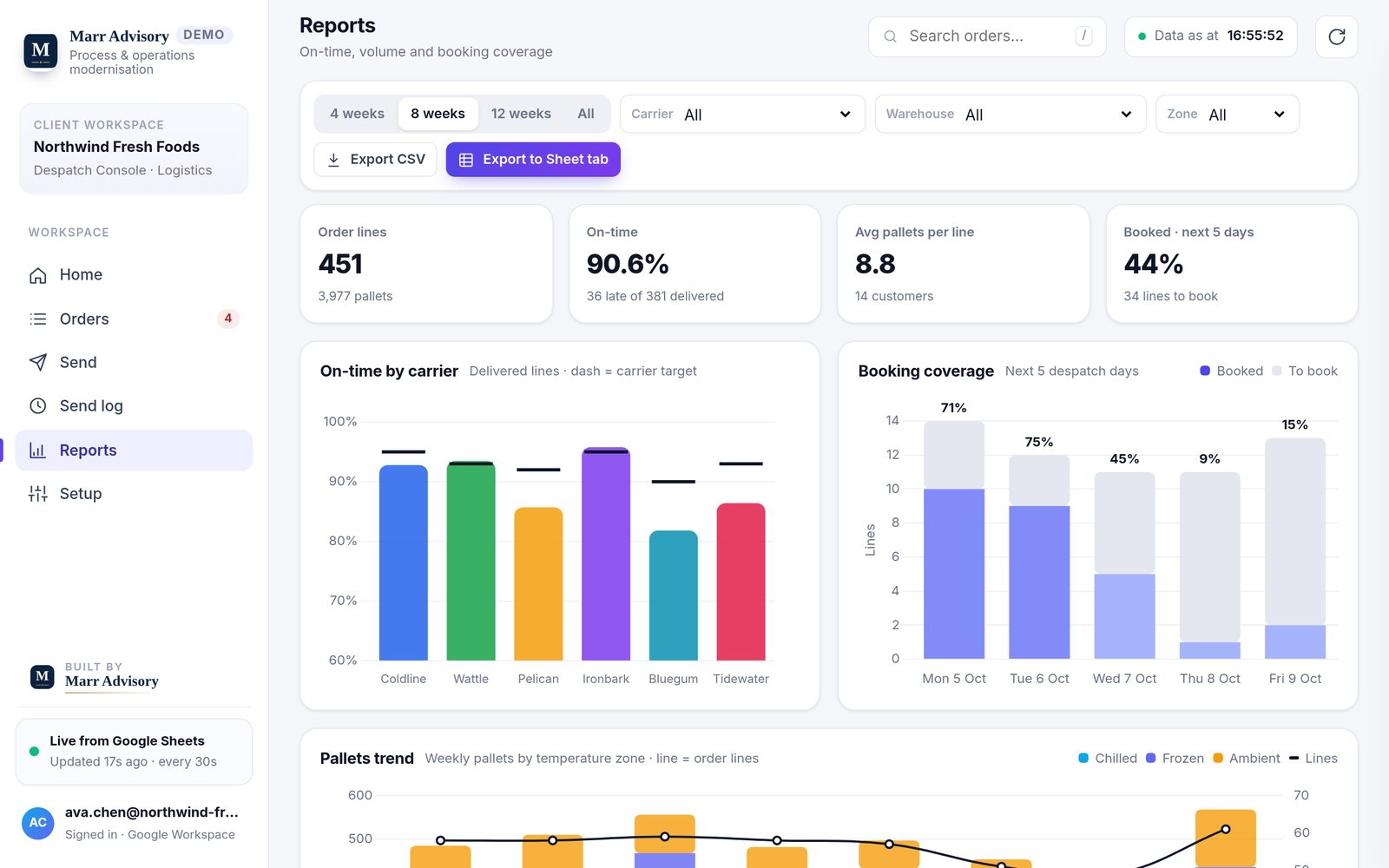
Reports screen in the sample despatch console with on-time and booking coverage charts
04On-time and booking coverage, ready for the weekly carrier reviewReports: on-time by carrier against target, booking coverage and pallet trends.
Your stack

Built on the tools you already run.

Google Workspace teams

Google Sheets

The version shown here. Your Sheet stays the record; the console sits on top of it, and manifests go out as Gmail drafts for a person to check and send.

Microsoft teams

Excel

The same two layers built in Excel, for teams who live in Microsoft 365.

Every build starts from your process, not this template. The demo shows one shape the work can take — yours will look like your operation.

Next step

See it with your data.

Twenty-five minutes. Show me how your despatch day runs today, and I’ll tell you plainly whether something like this fits.